Backup & disaster recovery
Veeam Backup & Replication
Enterprise backup and replication across virtual, physical and cloud workloads.
freemiumdesktop
Independent reference — this page is a review. Veeam Backup & Replication is downloaded from the vendor’s official site, not from here.
| Platforms | Windows console; protects VMware/Hyper-V/Nutanix/Proxmox, physical servers, cloud, M365 |
|---|---|
| Licence | Freemium — free Community edition (up to 10 instances) |
| Price | Free Community edition; paid Data Platform |
| Section | Backup & disaster recovery |
| Updated | 2026-11-05 |
What it is
Built for the enterprise, it backs up and replicates virtual, physical and cloud workloads. Backup is centralised, recovery is near-instant, replication handles DR, and immutable copies hold the line against ransomware — which is why it has become an industry standard. A free Community edition covers up to 10 instances.
Problems it closes
- Virtual machines need backing up with no downtime and no strain on production storage.
- After a failure, a whole VM — or one file inside it — has to come back in minutes, not hours.
- Backups are a ransomware target in their own right, so copies must be immutable and offline.
How administrators run it
- Register vCenter/Hyper-V hosts and back up at the hypervisor level with changed-block tracking.
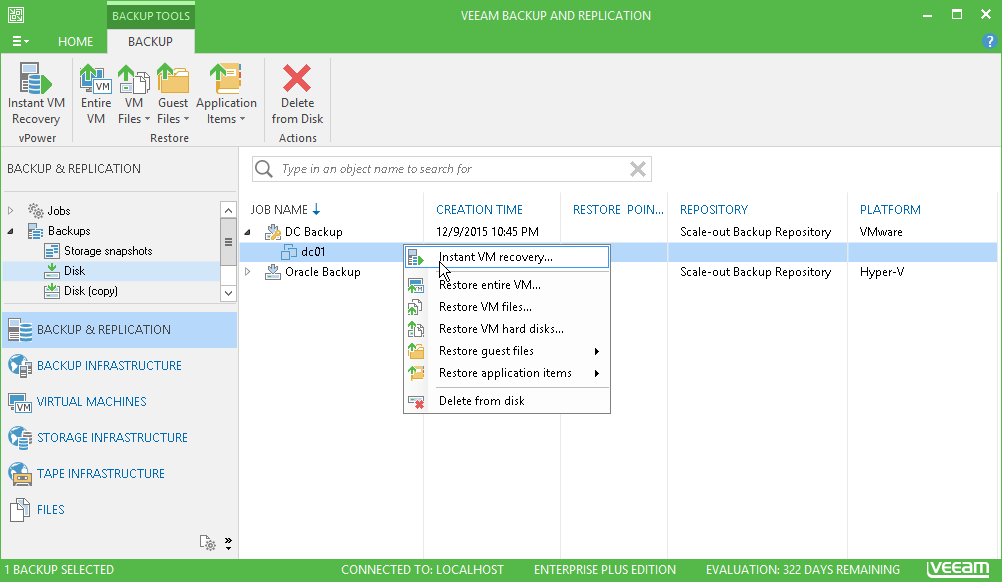
- Lean on Instant Recovery to boot a VM straight from its backup while the restore runs behind it.
- Push a copy to immutable object storage or tape to satisfy the 3-2-1 rule.
Strengths & trade-offs
Strengths
- An industry standard with broad platform coverage.
- Recovery is fast and granular, from a whole VM down to a single item.
- The free Community edition covers up to 10 instances.
Trade-offs
- The full feature set needs a paid, per-workload licence.
- The console runs on Windows.
- At scale it becomes real infrastructure to size and plan.
Common questions
Is the Community edition really free?
Yes — up to 10 instances, with no time limit. Paid editions add capacity and advanced features.
Does it cover physical servers?
Yes, via agents, alongside virtual machines, cloud workloads and Microsoft 365.
Alternatives
Acronis Cyber Protect Backup fused with cyber protection — anti-malware, EDR and patching — in one console. paid / trialdesktop Windows/macOS/Linux, VMware/Hyper-V, iOS/Android, web console, on-prem/cloud NAKIVO Backup & Replication Affordable backup, replication and DR that installs straight onto a NAS. freemiumdesktop Linux/Windows/NAS/virtual appliance; web UI Bareos Open-source client-server backup at enterprise scale — disk, tape or cloud. open sourcedesktop Linux server; clients for Linux/Windows/macOS/BSD/Solaris/AIX; web UI