Backup & disaster recovery
Macrium Reflect
Disk imaging and partition backup on Windows, bare-metal recovery included.
paiddesktop
Independent reference — this page is a review. Macrium Reflect is downloaded from the vendor’s official site, not from here.
| Platforms | Windows only (desktop + Server) |
|---|---|
| Licence | Paid — proprietary subscription; free edition discontinued |
| Price | Subscription (annual / 3-year): Home / Workstation / Server |
| Section | Backup & disaster recovery |
| Updated | 2026-11-05 |
What it is
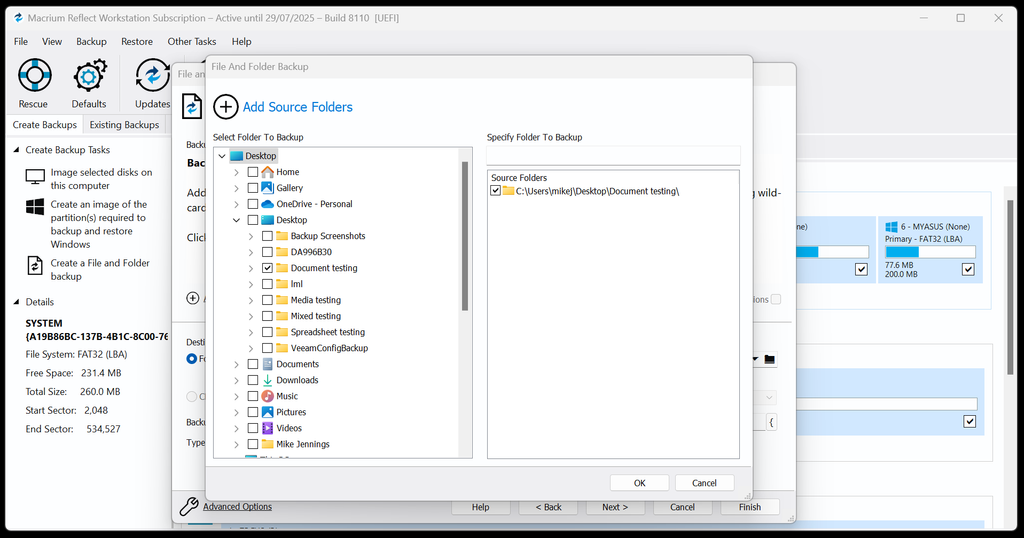
Disk images and partition-level backups on Windows are its bread and butter. It handles full, incremental and differential images, restore to dissimilar hardware via ReDeploy, and a bootable WinPE recovery environment.
Problems it closes
- You want a dependable disk image before a risky change or a migration.
- A dead system disk has to be restored fast onto new — maybe different — hardware.
- Windows servers and workstations need scheduled image backups that actually restore.
How administrators run it
- Schedule full and incremental images to a NAS or external disk.
- Keep a WinPE rescue USB on hand to restore a machine that won’t boot.
- Use ReDeploy to drop an image onto dissimilar hardware.
Strengths & trade-offs
Strengths
- Disk imaging is fast and reliable.
- Bare-metal and dissimilar-hardware recovery are covered.
- A bootable rescue environment comes in the box.
Trade-offs
- Windows only.
- The free edition is gone — it’s subscription now.
Common questions
Is there still a free version?
No. It’s subscription-based now; the old free edition has been retired.
Files, or whole disks?
It works at the image level (whole disks/partitions), but you can still pull individual files and folders out of an image.
Alternatives
Acronis Cyber Protect Backup fused with cyber protection — anti-malware, EDR and patching — in one console. paid / trialdesktop Windows/macOS/Linux, VMware/Hyper-V, iOS/Android, web console, on-prem/cloud Veeam Backup & Replication Enterprise backup and replication across virtual, physical and cloud workloads. freemiumdesktop Windows console; protects VMware/Hyper-V/Nutanix/Proxmox, physical servers, cloud, M365 Duplicati Free encrypted incremental backup to just about any cloud storage. open sourcedesktop Windows/macOS/Linux, web UI