Network & diagnostics
Nmap (+ Zenmap)
Network and port scanner for host discovery and perimeter audits.
open sourcedesktop
Independent reference — this page is a review. Nmap (+ Zenmap) is downloaded from the vendor’s official site, not from here.
| Platforms | Windows/macOS/Linux/BSD |
|---|---|
| Licence | Open source — NPSL |
| Price | Free |
| Section | Network & diagnostics |
| Updated | 2026-11-05 |
What it is
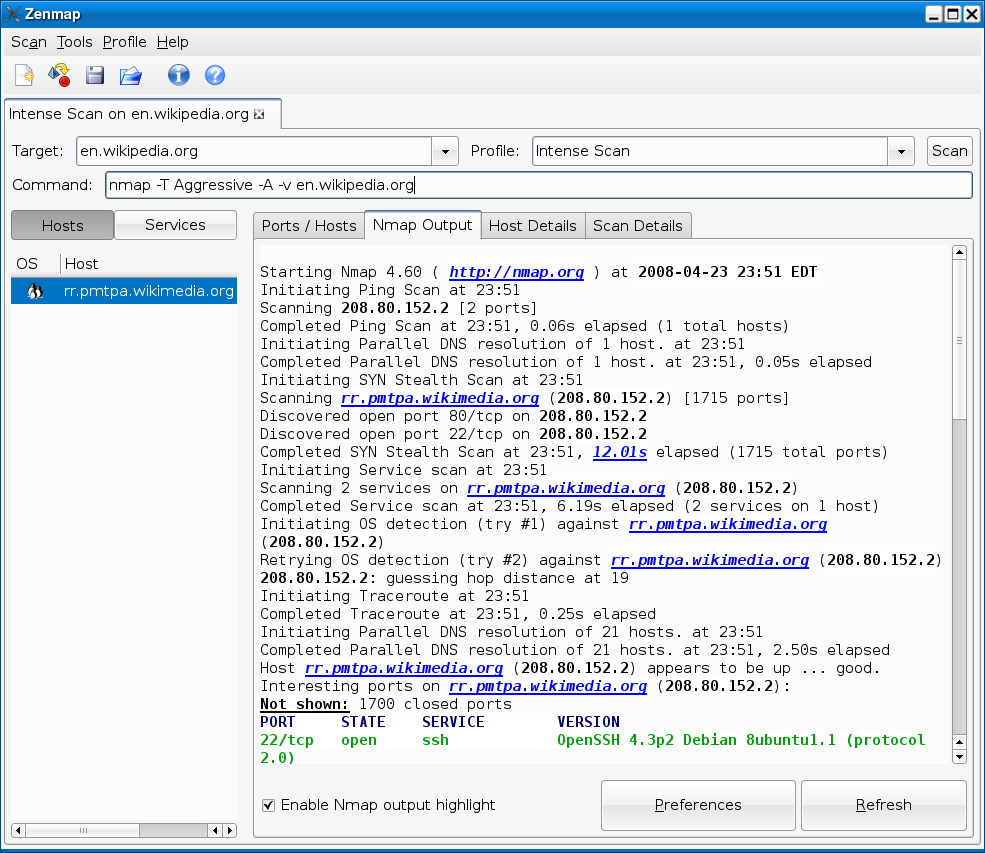
Point it at a network and it finds hosts, ports and services; Zenmap is the graphical front end. Admins lean on it for device inventory, perimeter audits and confirming which services are exposed.
Problems it closes
- You need to know which hosts and services are actually live on a subnet.
- An audit means hunting down exposed or unexpected open ports on the perimeter.
- There’s no CMDB and the network genuinely needs inventorying.
How administrators run it
- Run a discovery sweep to map which hosts are up.
- Scan ports with service and version detection to see what’s listening.
- Use Zenmap, or save output files, for repeatable, comparable audits.
Strengths & trade-offs
Strengths
- Deep, scriptable scanning via the Nmap Scripting Engine.
- Cross-platform and free.
- Service and OS fingerprinting built in.
Trade-offs
- Aggressive scans can trip IDS alerts, so only scan what you’re cleared for.
- All that command-line power carries a learning curve.
Common questions
Is scanning with it legal?
On your own or explicitly authorised networks, yes. Scanning systems outside your control can break the law.
What’s Zenmap?
Nmap’s official graphical front end — handy for building scans and picturing the results.
Alternatives
Angry IP Scanner Quick cross-platform IP and port scanner for fast LAN inventory. open sourcedesktop Windows/macOS/Linux Advanced IP Scanner Free Windows LAN scanner with shares, RDP and Wake-on-LAN built in. freemiumdesktop Windows Wireshark The standard packet analyser for capturing and reading network traffic. open sourcedesktop Windows/macOS/Linux/BSD/Solaris